
The Black Hills area is growing fast; every year, new businesses open across Rapid City, Spearfish, and nearby towns. To keep up with growth, your company needs tools that work well every day.
But there is one tool that many owners forget about until it breaks completely: the office Wi-Fi.
Think about your average workday. Do your employees complain about slow internet? Do your cash registers or point-of-sale systems freeze when you have a long line of customers? If you answered yes, you are not alone.
Many small to medium-sized businesses get by with old routers bought years ago at local electronics stores. They think that as long as the internet works most of the time, everything is fine. But bad Wi-Fi does more than annoy people. It wastes your time, hurts daily sales, and puts your private business data at serious risk.

How do you know when it is time to throw out that old router and build a real, professional network? Here are seven clear signs your business needs a Wi-Fi upgrade right away.
1. Video Calls Are Always Freezing
A few years ago, phone calls and emails were enough to run a business. Today, video meetings are a normal part of the workday. Whether you use Zoom, Microsoft Teams, or another program, video calls require a lot of internet power.
If your Wi-Fi is weak, your video calls will suffer. The screen will freeze. The sound will drop out. You might even get kicked out of the meeting completely.

This is highly frustrating for your staff, but it is even worse when you are talking to a client or a vendor. If you are trying to close a big deal or solve a customer problem, a frozen video screen looks very unprofessional. It makes your company look like it is behind the times.
A strong, modern Wi-Fi network prioritizes video and voice traffic. This means that even if someone else in the office is downloading a large file, your important video meeting will stay clear and connected.
2. Customer Sales Are Taking a Hit
Bad Wi-Fi does not just affect the back office. It hits your front counter, too.
If you run a retail shop, medical clinic, or restaurant in the Black Hills, you know how busy the summer tourist season can get. When your shop is full, customers expect things to move fast. They want to pay quickly and get on with their day.
Modern credit card readers and point-of-sale systems need a strong, steady internet connection. If your Wi-Fi is weak, those systems freeze up. The screen says “processing” while the customer stands there waiting.

Studies show four out of ten small and medium-sized businesses say internet and Wi-Fi problems directly hurt daily revenue. A slow checkout line makes customers unhappy. If the wait is too long, they might put their items down and walk out without buying anything.
Also, think about guest Wi-Fi. If you offer free internet to your visitors while they wait, it needs to actually work. A customer who cannot load a simple web page while sitting in your lobby will remember the bad experience. Good Wi-Fi keeps your customers happy and keeps your business moving fast.
3. You Have Dead Zones in Your Building
Take a walk around your office, shop, or warehouse with your smartphone. Watch the Wi-Fi signal bars at the top of your screen. Do they drop when you enter the breakroom? Does the connection die when you walk to the shipping dock or back of the warehouse?
These empty spots are called dead zones. They happen because a single, basic router cannot push a Wi-Fi signal through thick walls, metal doors, or long distances.
If your employees have to walk down the hall just to send an email, your network is holding them back. Imagine a worker in a busy auto shop who needs to look up a car part on a tablet while standing in the garage. If there is a dead zone, they must walk back to the front desk to check the part number. That wastes energy and delays the repair.
A professional Wi-Fi upgrade fixes this problem completely. IT experts can install multiple access points across your building’s ceiling. These points work together to blanket your entire space with a strong, fast signal. As you walk from the front door to the back room, your tablet or phone automatically switches to the closest point without dropping the connection.
4. You Constantly Restart the Router
We all know the drill. The internet stops working. Someone groans, walks to the dusty plastic box in the corner, unplugs the power cord, counts to ten, and plugs it back in.
Doing this once a year is normal. Doing it every week, or every single day, is a huge warning sign.
Older, cheap routers are not built to handle today’s heavy network traffic. Ten years ago, you might have had three desktop computers connected to the office Wi-Fi. Today, that same old router tries to connect five computers, ten employee smartphones, a smart thermostat, and two wireless office printers at the same time.
The old hardware cannot handle the math. It gets confused, overheats, and gives up.
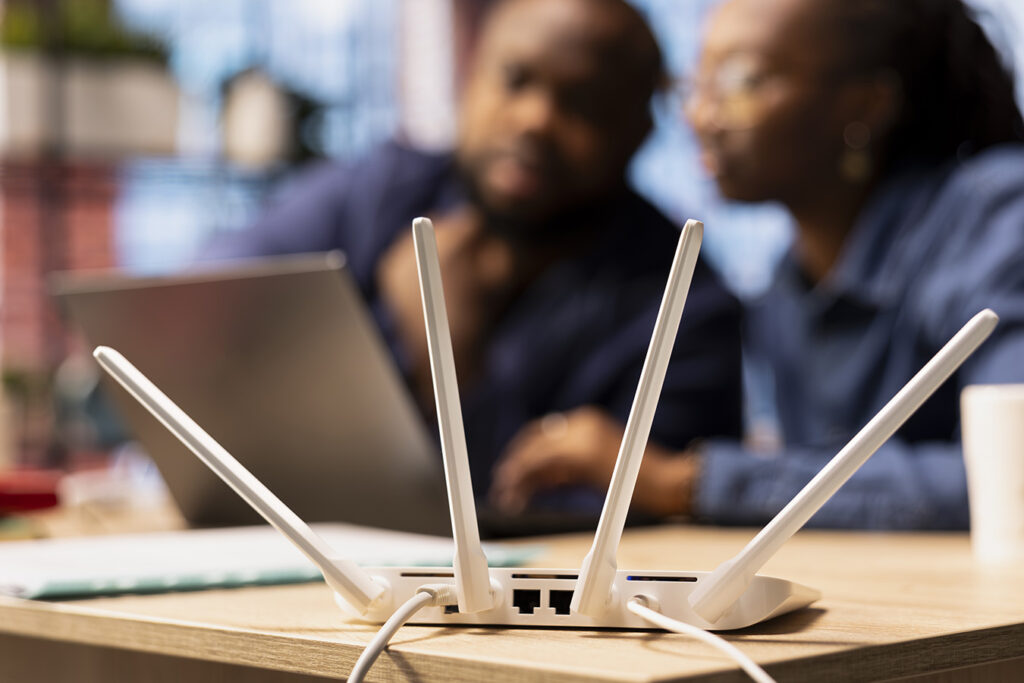
Restarting the router is just a band-aid. It does not fix the real problem. You need hardware with the brainpower to handle the many devices your business uses today. A modern, business-grade Wi-Fi system manages heavy traffic all day without crashing.
5. Your Team is Losing Hours Every Week
Time is money. When your Wi-Fi is slow, your employees cannot do their jobs well.
Think about how many cloud programs you use today. Your company email, customer records, payroll, and billing tools likely live online. If the network lags, every click takes longer. Waiting ten seconds for a file to save might not seem like a big deal at first. But when an employee does that a hundred times a day, the time adds up.
Research shows small businesses lose an average of 11 hours per week due to bad internet and poor Wi-Fi. That is more than a full day of work lost waiting for pages to load, emails to send, or files to download.
Every time the internet drops, an employee loses focus. It takes time to get back into the groove. When this happens five or ten times a day to everyone on your team, the hidden costs add up fast. Upgrading your Wi-Fi speeds up everything your team does, saving you money in the long run.
6. You Are Adding Smart Office Devices
Take a look around your business. How many things are connected to the internet right now?
It is not just computers and phones anymore. Today, businesses use smart security cameras, smart door locks, Wi-Fi thermostats, smart TVs in the conference room, and even wireless speakers. These are known as IoT (Internet of Things) devices.
Each of these devices takes a slice of your Wi-Fi pie. If your pie is small because you use an old router, there is not enough internet to go around.

When you add new smart cameras to watch your parking lot, they send constant video data over your network. If your Wi-Fi is outdated, those cameras will slow down the internet for your human workers. A network upgrade ensures you have a big enough pie to support all your office devices without slowing down your human team.
7. You Are Worried About Hackers and Data Theft
Security is a major concern for any business owner today. You hold private information, like customer names, home addresses, credit card numbers, and private company emails. If a hacker gets into your system, it can completely ruin your business reputation.
Old Wi-Fi networks are a wide-open door for cyber threats. Older routers use outdated security rules from ten years ago. They lack the modern software needed to block new attacks. If you use a cheap router bought at a big-box store, your company network is likely an easy target for criminals.

Small businesses are targeted by hackers every single day. Criminals know that local shops and small offices usually do not have strict security in place. Upgrading your Wi-Fi means you get the latest built-in security features, like WPA3 encryption.
A proper business network also lets you clearly separate your public guest Wi-Fi from your private company files. That way, a visitor in your waiting room cannot accidentally or purposely gain access to your private payroll data or customer lists.
The Difference Between Home and Business Wi-Fi
Many business owners try to save money by buying the same router they use at home. This is a big mistake. A home router is built for a family of four watching Netflix and looking at social media. It is not built to run a business. A business-grade network is completely different.
Here is what business-grade Wi-Fi offers that home routers do not:
- Better Hardware: Business access points have stronger antennas and faster processors. They can handle 50 or 100 devices at the same time without breaking a sweat.
- Central Control: Instead of logging into five different routers to change a password, a business system lets an IT team manage the whole building from a single dashboard.
- VLANs (Virtual Local Area Networks): This allows you to split your internet into invisible lanes. You can put your credit card machines in one highly secure lane, your employee computers in another lane, and your guests in a third lane. This keeps your payment data incredibly safe.
- Longer Lifespan: Business equipment is built to run 24 hours a day, 7 days a week, for years at a time. It is an investment that lasts.
Stop Accepting Bad Wi-Fi
Many business owners get used to bad Wi-Fi. They think it is a normal part of running a company. But it does not have to be this way.
The Black Hills business market is busy, and you have competition. You cannot afford to slow down because of dropped video calls, spinning checkout screens, or dead zones in your own building. When you fix your network, everything else in your business gets easier. Your team can work faster. Your customers get better service. Your private data stays safely locked away from hackers.
You do not have to figure this all out alone. Trying to buy random computer gear online usually leads to more wasted money and more headaches. You need a network setup that actually fits your specific building shape and your daily business needs.
What Happens During a Network Audit?
The best way to fix your internet problems is to bring in local IT experts, like KT Connections, to review your current setup. This is called a network audit.
During an audit, professionals will come to your business and look at how things are running today. They will test your internet speed. They will look for dead zones. They will check how old your current routers and switches are. Most importantly, they will look for holes in your network security.

After looking at everything, they will give you a clear, honest report. They will tell you exactly why your internet is slow and exactly what it will take to fix it.
Get Help from Local Experts
KT Connections has been helping businesses in Rapid City and the Black Hills area since 1997. We are deeply rooted in this community. We know exactly what it takes to keep local companies running without a hitch.
If you are tired of dealing with slow speeds, dead zones, and dropped connections, it is time for a change. We can come straight to your business and perform a full network audit. We will find out exactly why your current Wi-Fi is failing you. Then, we will design and install a brand-new system that covers every inch of your space with fast, secure internet.
Stop letting old technology hold your business back. Let us handle the heavy lifting and the complicated tech so you can focus on what you do best: running and growing your company.
Check out our Managed IT Services page to learn more about how we can build, secure, and support a much better network for your team. Reach out to KT Connections today to schedule your business network audit!