
Spring is the perfect time to update your business technology. Just like you clean your office and organize your workspace, remember your IT systems also need regular maintenance to stay secure, fast, and reliable. At KT Connections, we have supported businesses throughout the Midwest with their spring IT maintenance for over 25 years, helping them prevent costly downtime and security breaches.
In this guide, you’ll find a comprehensive spring IT maintenance checklist with six essential tasks, insights on how AI-powered tools simplify IT upkeep, practical steps to protect your business from cyber threats, and guidance on when to engage managed IT services for the best results.
At a Glance
What Is Spring IT Maintenance and Why Does It Matter?
Spring IT maintenance is a systematic review of your business technology infrastructure to identify problems, update systems, and strengthen security before issues cause downtime or data loss.

Research shows that unplanned downtime can now cost a small business anywhere from $8,000 – $25,000 per hour, with 60% experiencing higher costs in 2024. FEMA and Gartner data further indicate that 25% of small businesses close within a year after a major outage, and 93% close within a year if an outage lasts more than 10 days. Regular maintenance is no longer optional; it is essential for business survival.
The Complete Spring IT Maintenance Checklist for Small Business
Below are six essential spring tasks for small businesses, prioritized to prevent downtime, protect against cyber threats, and maintain system efficiency.
1. Update All Software and Apply Security Patches
Your Task: Install the latest updates for operating systems, business applications, network equipment firmware, and security software on all devices.
Why it Matters: Timely software updates address security vulnerabilities that cybercriminals exploit. Delays increase your risk of ransomware, data breaches, and malware.
Bonus Tip: Critical security patches should be applied within 48 hours of release. Plan major software updates monthly.

The KT Advantage: Managed IT services from KT Connections use automated patch management to keep client systems secure without disrupting business operations.
AI-powered patch management tools like Microsoft Intune and ManageEngine automatically identify critical updates, test compatibility, and deploy patches during off-hours to prevent disruption.
2. Test Your Data Backup and Recovery Systems
Your Task: Run a full backup restoration test for critical business files. Verify that backups run as scheduled and capture all essential data. Document your recovery time objective (RTO) and recovery point objective (RPO).
Why It Matters: Backups are only effective if they can be restored. Monthly tests ensure your data recovery process functions when needed.
Remember the 3-2-1 backup rule: Keep three copies of your data, store them on two different media types, and keep one copy offsite or in the cloud.

Businesses in Rapid City and throughout South Dakota face unique risks from severe weather. Regularly tested backups help prevent data loss from power outages, floods, and other natural disasters.
3. Review and Strengthen Your Cybersecurity Posture
Your Task: Audit your current security measures, including firewalls, antivirus software, multi-factor authentication (MFA), password policies, and user access permissions.
Why It Matters: Cyber threats evolve rapidly. Last year’s security measures may not protect against new attack methods. Cybercrime losses reached $16.6 billion in 2024, a 33% increase from the previous year.

- Actions You Can Take Today:
- Enable MFA on all email accounts, cloud services, and administrative
- Replace weak passwords using a business password manager.
- Remove access for former employees immediately.
- Review which employees have access to sensitive data.
The KT Advantage: Our cybersecurity services leverage AI-driven threat detection to protect small businesses from ransomware, phishing, and data breaches. AI-powered security platforms detect unusual behavior patterns that indicate potential breaches. If someone logs in from an unexpected location or accesses files outside normal patterns, AI systems flag the activity in real-time.
4. Audit Your Hardware and Plan Replacements
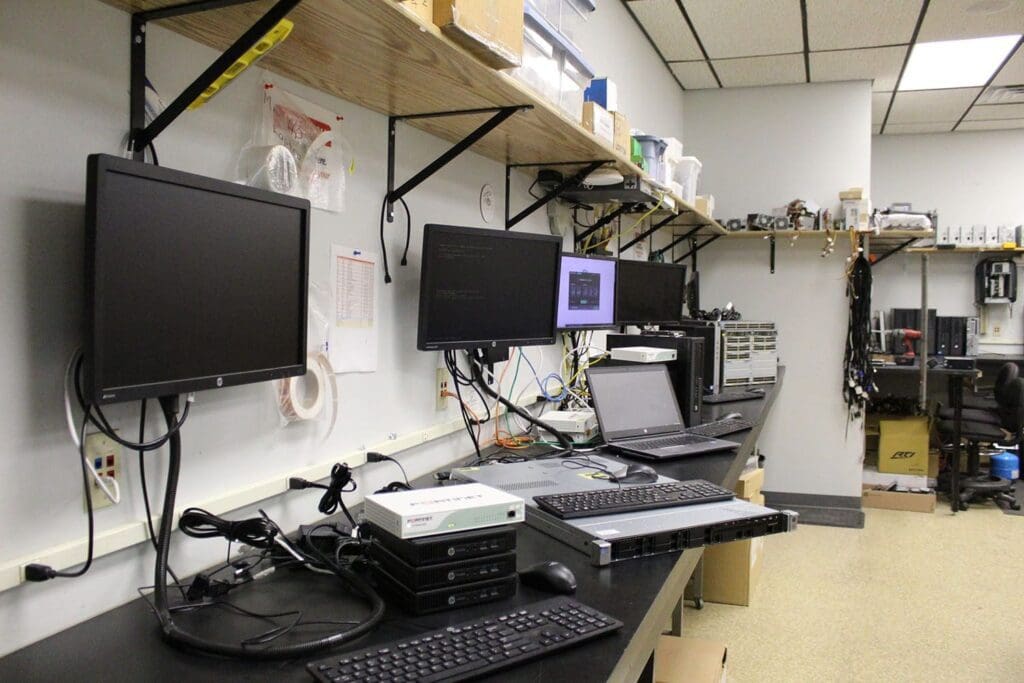
Your Task: Inventory all computers, servers, network equipment, and peripherals. Document age, condition, and warranty status. Identify devices nearing end of life that require replacement within the next 6-12 months.
Why It Matters: Aging hardware creates security vulnerabilities from unsupported systems, reduces productivity, increases repair costs, and increases the risk of sudden failure.
- Quick Replacement Guide:
- Business computers: Replace every 5 years.
- Physical Servers: Replace every 5-7 years.
- Network equipment (routers, switches): Replace every 5-7 years.
- Uninterruptible power supplies (UPS): Replace batteries every 3-5 years.
Remember: Don’t overlook remote worker equipment. Home office computers connecting to your business network should meet the same security and performance standards as office devices.
5. Test Your Disaster Recovery Plan
Your Task: Review your documented disaster recovery procedures. Conduct a tabletop exercise or simulated failover. Update contact and vendor information. Ensure all team members understand their roles.
Why It Matters: Disaster recovery plans can become outdated as businesses add systems, hire employees, or change processes. Untested plans often fail during real emergencies.

- Questions Your Plan Should Answer:
- What happens if our main server fails?
- What happens if our main server fails?
- How quickly can we restore operations? (RTO)
- Who is responsible for each recovery step?
- What data is most critical to save first?
- How do we communicate with employees and customers during an outage?
6. Update Employee Security Training
Your Task: Schedule cybersecurity refresher training for all employees, covering phishing awareness, password management, data handling procedures, and reporting suspicious activity.
Why It Matters: Employees are the first line of defense against cyber threats. The 2025 Verizon Data Breach Investigations Report found that 60% of breaches involve a human element. Research also shows that 8% of employees account for 80% of incidents, emphasizing the need for targeted training for high-risk users.

- Training topics for 2026:
- Identifying AI-generated phishing emails
- Recognizing deepfake scams
- Safe handling of sensitive customer data
- Proper use of business tools and cloud services
- What to do if you suspect a security incident
Take Action Now, Clean Up Your IT Systems This Week!
Don’t wait until a system failure or security breach forces you to address IT maintenance. The tasks outlined in this Spring IT Maintenance Checklist protect your business from costly downtime, data loss, and cyber threats.
Start with these high-priority actions:
1. Enable multi-factor authentication on all critical accounts.
2. Run a backup restoration test to verify your data is recoverable.
3. Install all pending security updates and patches.
4. Remove system access for former employees.
5. Schedule a comprehensive IT assessment.
If you’re not sure where to begin or need assistance implementing these maintenance tasks, KT Connections is here to help! We’ve been providing expert IT support to businesses across South Dakota, Wyoming, and Colorado for over 25 years. Connect with our team of experts today and elevate your business with our AI-powered IT solutions today!