
A sales manager’s laptop used at a conference in Denver, an office administrator’s phone accessing email at Rapid City Regional Airport, and a remote employee’s tablet connecting to hotel Wi-Fi during a trade show in Cheyenne are all common scenarios for businesses we help every day. Each instance presents a potential entry point for a cyberattack.
Remote and travel-related work has become standard practice rather than the exception. Data clearly demonstrates the significant consequences of addressing these practices without adequate security measures.

According to IBM’s Cost of a Data Breach Report, data breaches involving remote work cost an average of $173,074 more than those occurring solely within secured office environments. This additional cost reflects the documented risk associated with moving company devices and data beyond controlled network perimeters. For small and mid-sized businesses, where breach recovery expenses range from $120,000 to over $1 million, this increased exposure constitutes a critical business risk.
This guide will help business owners and team leaders establish policies, equip staff, and foster best practices to ensure travel or remote work does not create security liabilities.
Why Remote and Travel Environments Are a Cybercriminals’ Favorite Target
Before getting into the solutions, it’s worth understanding exactly why cybercriminals specifically target remote workers and travelers. The answer is straightforward: the conditions are ideal for cyberattacks.
92% of IT professionals report that remote and hybrid work has directly increased cybersecurity threats to their organizations. The underlying causes are structural. Office networks are generally equipped with firewalls, intrusion detection systems, and managed security policies. When an employee leaves that environment, even temporarily, they enter a fundamentally different and often more hazardous threat landscape.
The most frequent attack vectors in remote and travel scenarios are as follows:
- Phishing Emails: responsible for 43% of initial breach attempts in remote work environments in 2025
- Unpatched personal or company devices: accounting for 22% of endpoint vulnerabilities exploited against remote workers
- Cloud misconfigurations: contributing to 17% of remote work security incidents
- Misconfigured or unverified VPNs: tied to 14% of data leaks in remote environments
- Public Wi-Fi exploitation: including man-in-the-middle attacks, fake hotspot networks (sometimes called "evil twin" networks), and packet sniffing

Travel further amplifies these risks. Airports, hotels, conference centers, and coffee shops are among the most cybercrime-prone environments in the country. As of early 2025, researchers identified over 5 million unsecured public Wi-Fi networks worldwide, with 1 in 3 users knowingly connecting to them while traveling. Employees who are fatigued, distracted, or rushed, common conditions during business travel, are statistically more likely to make errors that facilitate cyberattacks.
7 Essential Practices for Securing Company Devices Outside the Office
1. Mandate the Use of a Business-Grade VPN and Enforce Compliance
A Virtual Private Network (VPN) is a foundational tool for securing remote devices. A business-grade VPN establishes an encrypted tunnel between an employee’s device and company servers. As a result, even if a hacker monitors the same public network, the transmitted data remains protected.
The critical distinctions for business use are:
• Business-grade versus consumer VPN: Free or low-cost consumer VPNs often log user data, lack enterprise-level encryption standards, and may not meet compliance requirements. Enterprise-grade VPNs should employ AES-256 encryption, maintain a no-logs policy, and support multi-factor authentication.
• Configure automatic activation: Employees should not be responsible for manually enabling the VPN. Company devices should be set to activate the VPN automatically whenever a public or unrecognized network is detected.
• Policy enforcement is essential: A VPN tool that employees can opt out of offers minimal protection. VPN usage should be a formal, documented requirement within the organization’s remote work and travel security policy.
KT Connections helps businesses select, configure, and implement the right VPN solutions for their size, industry, and compliance needs, ensuring that encryption is not optional.
2. Implement Multi-Factor Authentication (MFA) Across All Business Accounts
Credentials are the most commonly stolen asset in a remote work breach. A 2025 survey found that 62% of security breaches were tied to poor or stolen remote access credentials, and 54% of CISOs reported an increase in credential theft incidents related specifically to remote access tools.
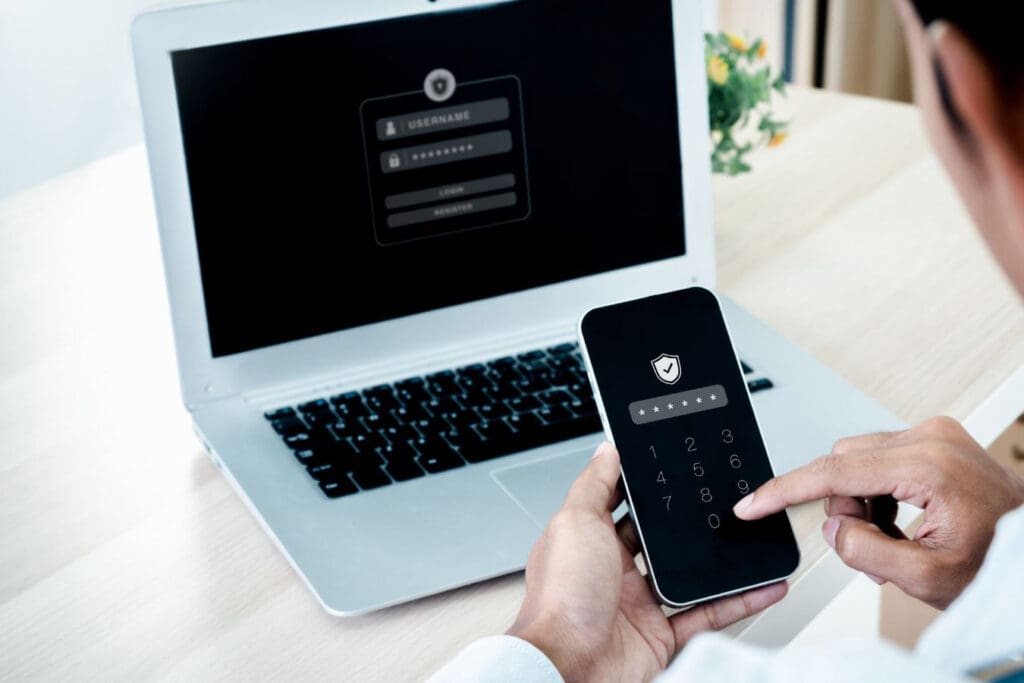
Multi-factor authentication (MFA) directly addresses this risk. Even if an employee’s password is intercepted over public Wi-Fi or compromised in a phishing attack, MFA introduces a second verification step, such as a phone prompt, an authentication app code, or a hardware token, which is difficult for attackers to bypass.
MFA should be enabled for:
- All cloud-based business applications (email, file storage, project management tools)
- Remote desktop connections
- VPN access
- Any financial or HR platforms
Although implementation is straightforward, many organizations delay adoption until after a security incident. Proactive deployment is strongly recommended.
3. Establish a Clear Travel Device Policy
Devices vary in security risk, and not all personal devices are suitable for business use during travel. A formal travel device policy eliminates ambiguity and reduces human error, which accounts for 88% of all cybersecurity breaches according to research from Stanford University.
An effective travel device policy should address:
• Device designation: Specify which devices are approved for travel. Ideally, high-risk travelers should use dedicated travel laptops or phones that contain only the data and access permissions necessary for the trip. This approach is sometimes referred to as “travel mode” provisioning.
• Prohibition on personal device use for business tasks: Seventy percent of remote workers report using personal devices for work tasks, and 58% have shared a work device with a family member. Both practices significantly increase the organization’s attack surface.

• Pre-travel security checks: Before any business trip, IT staff or an IT provider should verify that all devices have current operating system updates, updated antivirus definitions, full-disk encryption enabled, and the approved VPN client installed and configured.
• Lost or stolen device protocol: Clearly define the steps employees must take if a device is lost or stolen during travel. These steps should include immediate reporting to IT or the IT provider, initiating remote wipe procedures, and changing all relevant passwords from a separate, secure device.
4. Train Employees to Recognize and Avoid Public Wi-Fi Risks
Public Wi-Fi represents a highly exploited attack surface in business travel, yet many employees remain unaware of or underestimate the associated risks. According to a 2025 report, 63% of public Wi-Fi users admitted to performing work-related tasks on unsecured networks, and nearly half transmitted confidential information without encryption.
The most common threats employees encounter on public networks include:
• Man-in-the-Middle (MiTM) attacks: An attacker positions themselves between an employee’s device and the network, intercepting all data in transit.
• Evil Twin networks: A fake Wi-Fi hotspot is created to mimic the name of a legitimate hotel or airport network. Employees may connect without realizing the network is controlled by an attacker.
• Session hijacking: Attackers capture authentication tokens to gain access to accounts to which the employee is actively logged in.

Employees should be trained to follow these specific public Wi-Fi practices:
- Never connect to a public Wi-Fi network without first activating the company VPN.
- Verify network names directly with hotel staff or venue personnel before connecting.
- Disable automatic Wi-Fi connection settings on all work devices
- Avoid conducting financial transactions or accessing sensitive company data on public networks, even when using a VPN, if a mobile hotspot is available as an alternative.
- Log out of all accounts when finished, rather than simply closing the browser.
This type of practical, scenario-based guidance should be reinforced through effective employee security training, both during onboarding and on an ongoing basis.
5. Keep Devices Updated and Encrypted Before Any Trip
Software updates are often overlooked but are among the most consequential components of device security. Unpatched devices account for 22% of exploited endpoint vulnerabilities in remote environments, and attackers actively scan for known vulnerabilities in outdated operating systems and applications.
Before any employee travels with a company device:
- Ensure the operating system and all installed applications are fully updated.
- Confirm that endpoint security software (antivirus/anti-malware) definitions are current.
- Verify that full-disk encryption is active, such as BitLocker for Windows devices or FileVault for macOS.
- Disable features that increase exposure when not required, including Bluetooth auto-connect, file sharing, and AirDrop.

Full-disk encryption is particularly critical for travel scenarios. If a laptop or phone is lost or stolen, which occurs with notable frequency at airports, hotels, and conferences, encryption ensures that data stored on the device cannot be accessed without proper credentials, even if the physical device is in an attacker’s possession.
6. Use a Mobile Hotspot Instead of Public Wi-Fi Whenever Possible
For employees who travel regularly, providing a company-managed mobile hotspot device is among the most cost-effective security investments. A cellular-based hotspot connection uses the same encrypted mobile network as a mobile phone and is fundamentally more secure than any public Wi-Fi environment, given the perceived legitimacy of the network.
When direct hotspot access is unavailable, employees should be instructed to tether to their personal smartphone’s mobile data connection rather than connect to public Wi-Fi for sensitive work. The modest cellular data usage represents a minimal cost compared to the average $173,074 premium associated with a breach involving remote access.
7. Implement a Remote Wipe Capability for All Company Devices
Regardless of the thoroughness of pre-travel preparation and policies, devices may still be lost or stolen. Remote wipe capability, which enables the erasure of all data from a device remotely, serves as a critical last line of defense.
Remote wipe should be configured on every company-issued or company-approved device, including laptops, tablets, and smartphones. This function is most reliably managed through a Mobile Device Management (MDM) platform, which also enables IT administrators to enforce security policies, manage software installations, and monitor device compliance across the entire fleet of company devices, regardless of geographic location.
Building a Security Culture That Travels With Your Team
Organizations that effectively manage cybersecurity risks associated with remote work and travel consistently treat security as an operational standard rather than an afterthought. Policies are thoroughly documented, tools are standardized, and training is conducted on a recurring basis. When incidents occur, a clear, well-rehearsed response plan is already in place.
For business owners and managers, this degree of preparedness has become both a competitive advantage and a legal requirement. Regulatory frameworks across industries are elevating expectations for documented security practices, while the costs of non-compliance continue to rise in step with the financial impact of security breaches.

Implementing these practices does not necessitate a large in-house IT department. Instead, organizations benefit from engaging a trusted local partner who understands the specific business environment, risk profile, and appropriate tools for the organization’s size and industry. Schedule a security audit with KT Connections today. We will assess your current security posture, identify gaps in your remote and travel policies, and give you a clear, actionable plan to protect your business!